Mogbul
The Story
While I was at school, my instructor would have something called a "Creative Blitz" roughly at the end of each semester where we had to work on a project using the new skills we had learned during that semester. Typically there was no specific direction for these projects except for suggestions of themes tailored to what we had learned.
For this particular blitz, I was prompted to make a creature of any sort, so long as it wasn't a real creature. This was the second semester of my second year, and previous to this blitz, I had been taking my first real deep-dive into sculpting in Z-Brush.
So, with this experience and this prompt, I decided to create a creature with both power and humility - somewhat of a gentle giant when not provoked, much like a buffalo or a moose. I'm a big fan of both sci-fi and fantasy, so I wanted to create something in the sci-fi realm that also had a sense of something you could also see in a fantasy world. Thus, I created the Mogbul.
The Process
Concept
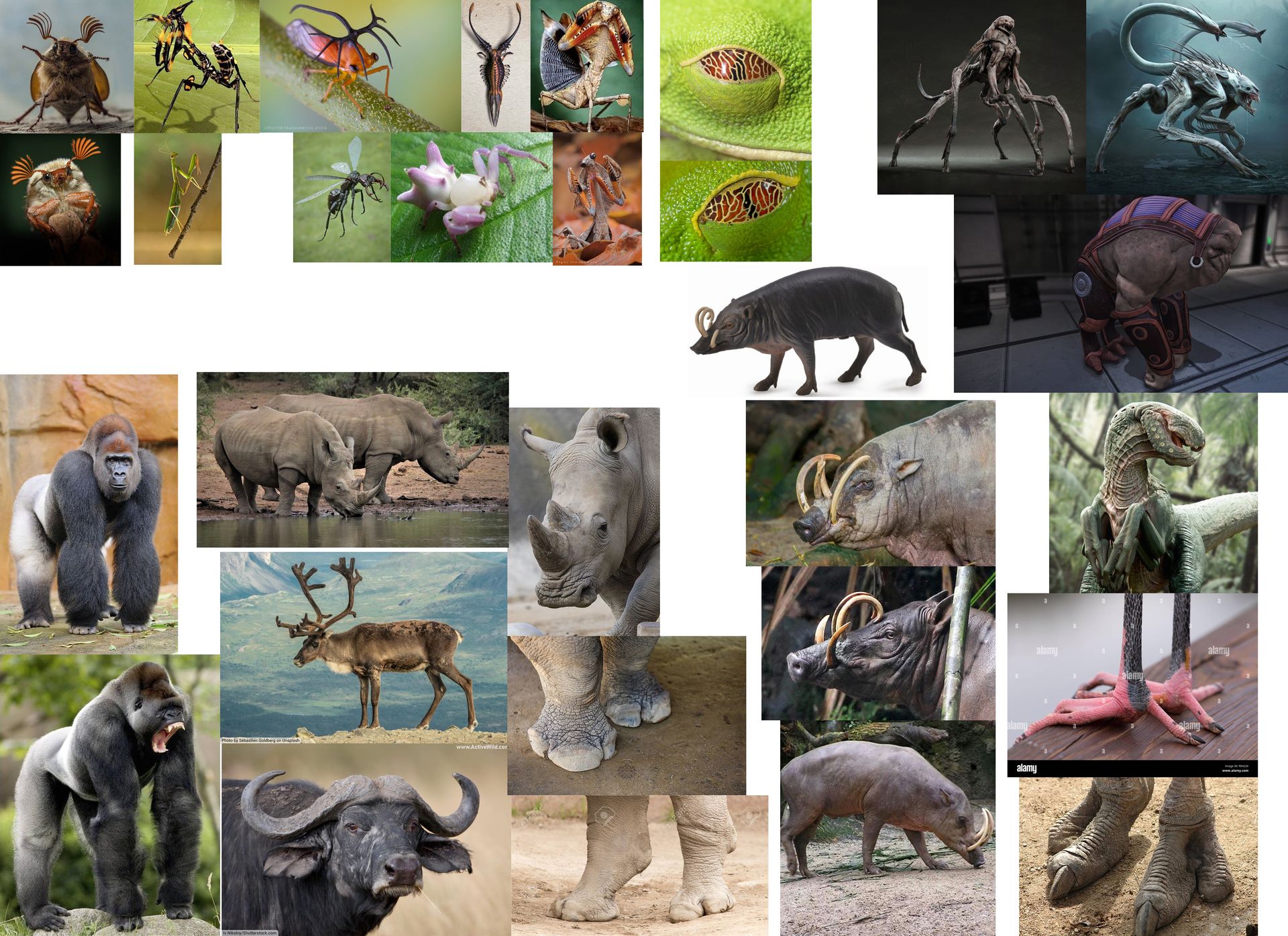
Using Photoshop, I created a moodboard based on the ideas I had above. I took a lot of inspiration from animals like rhinos and also insects.
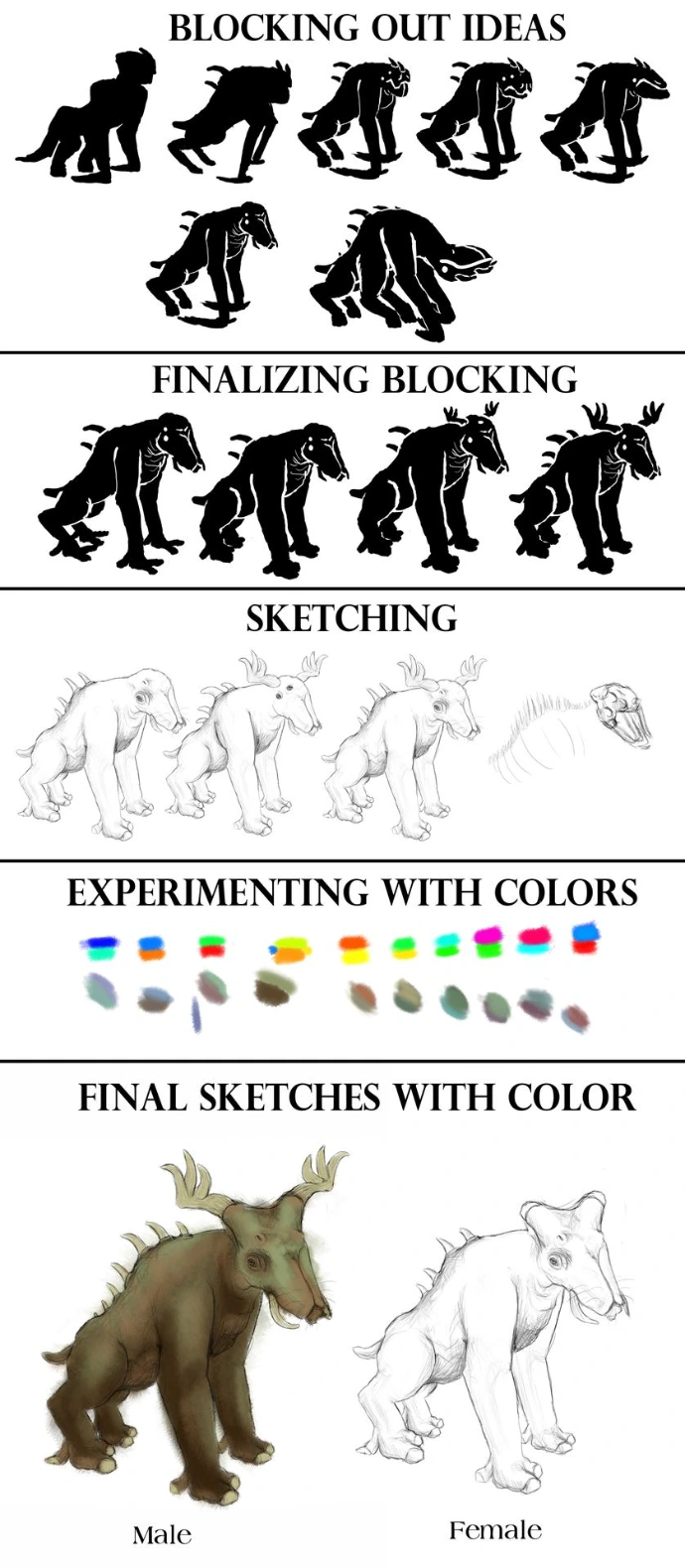
Once I had the moodboard, I then began to block out the shape of what I wanted the creature's silhouette to look like. Once I found a silhouette I liked, I then narrowed it down to the final shape and features I wanted my creature to be, along with the colors I would use.
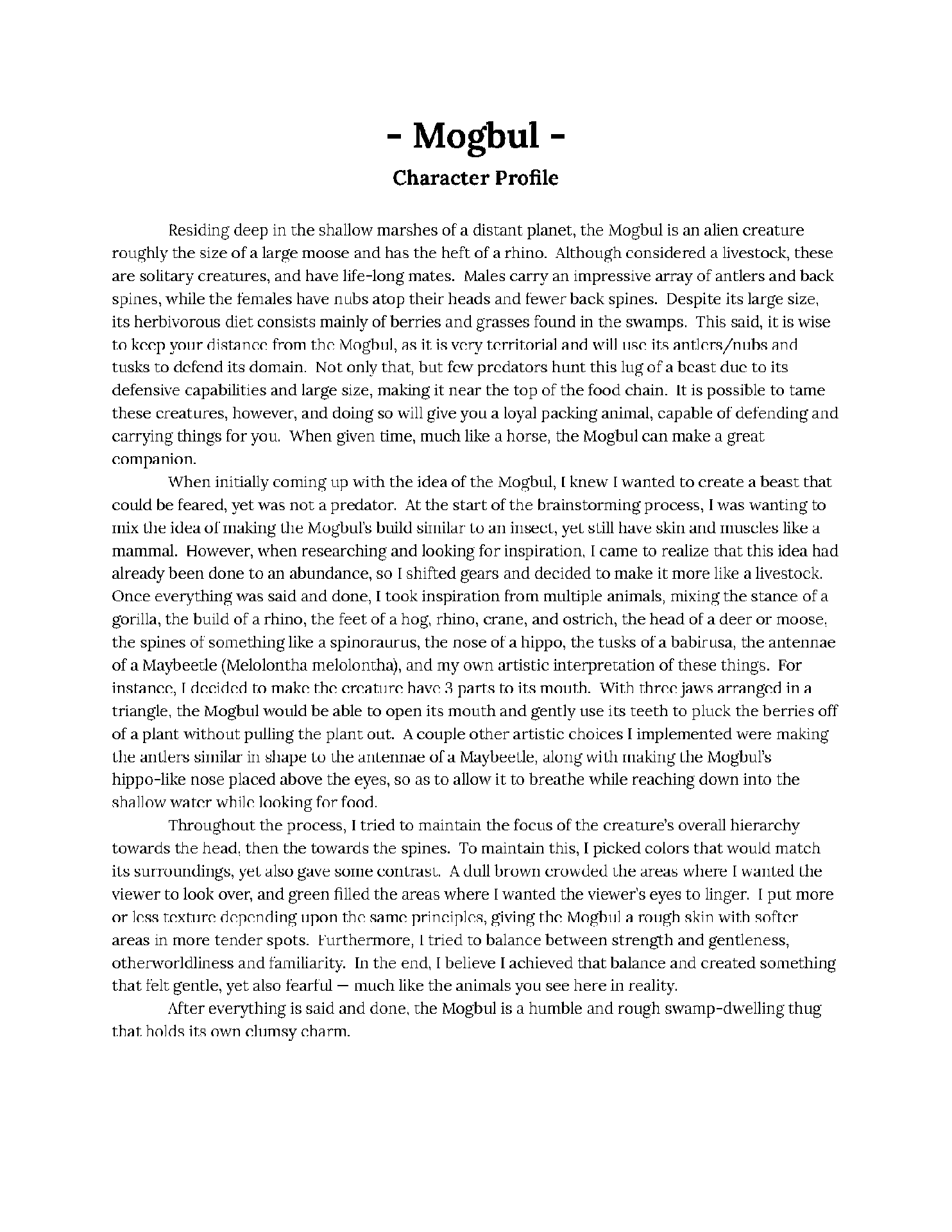
I then made a character profile to help get a better idea of what I wanted to focus on when creating the creature.
Sculpting
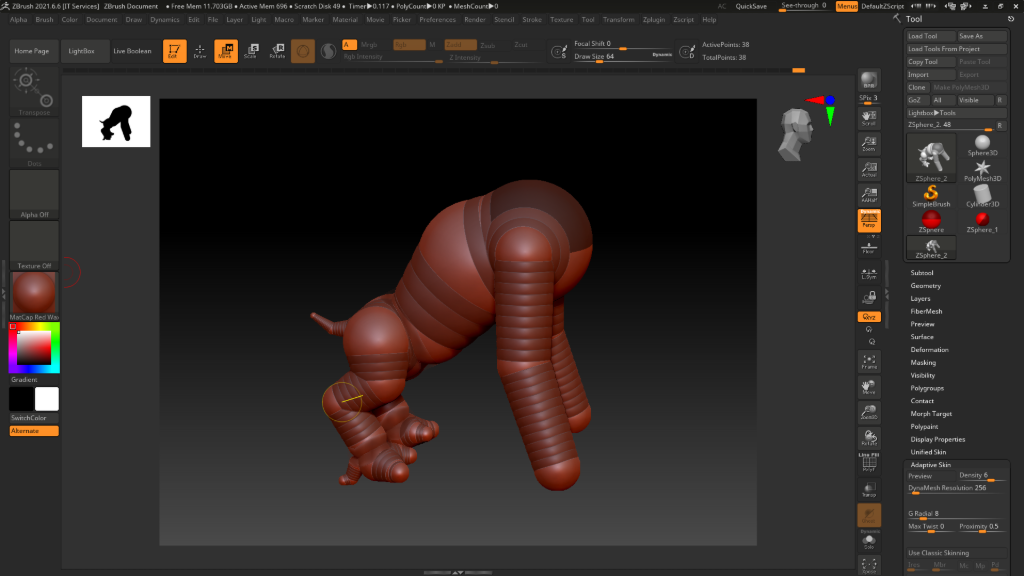
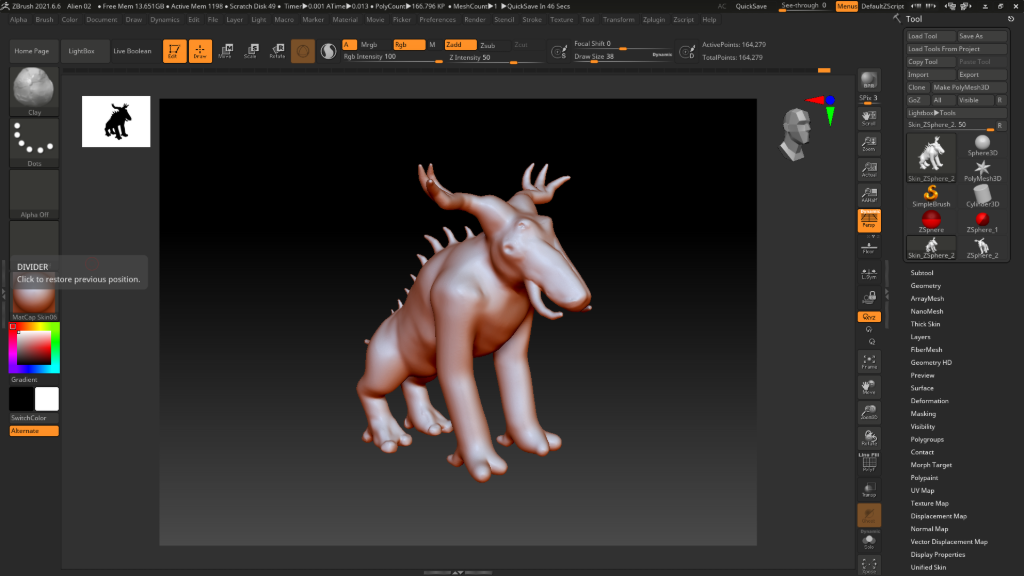
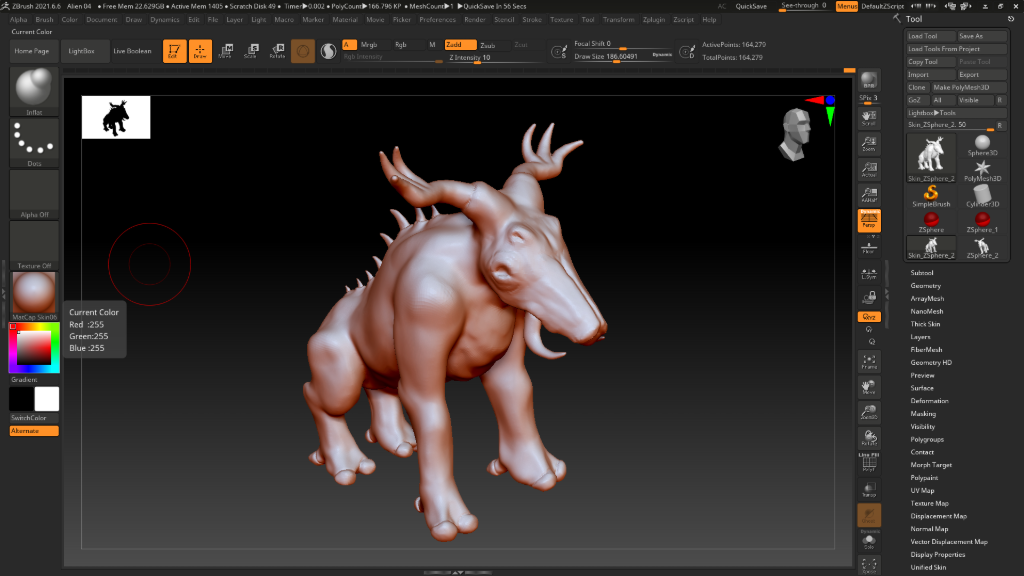
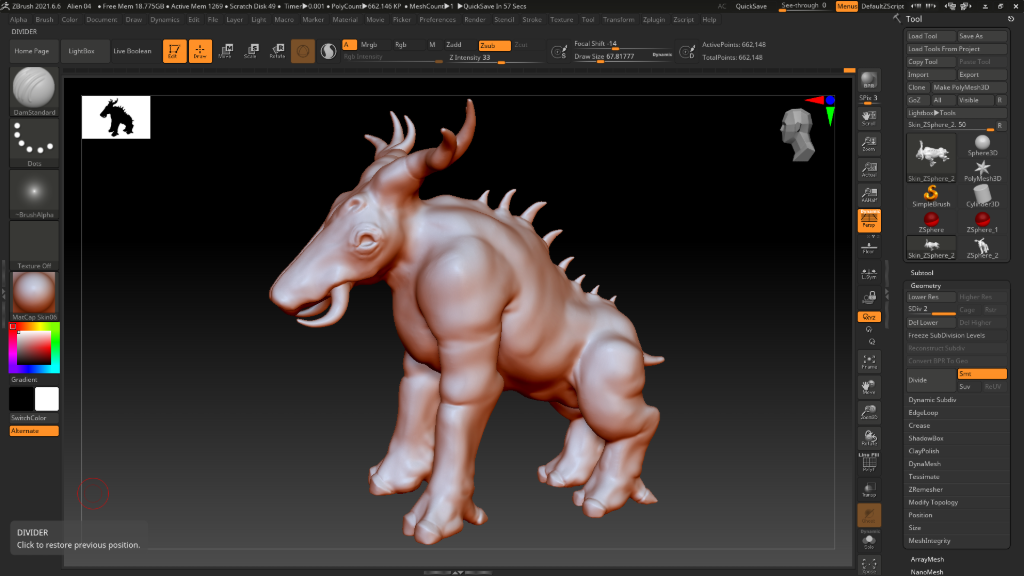
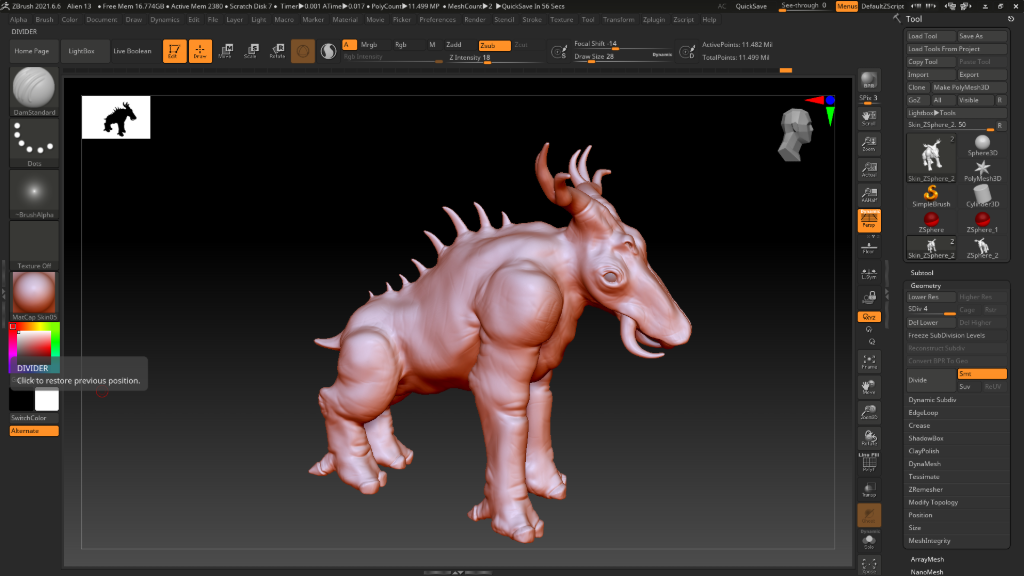
After having the final concept and character profile, I got to work sculpting in Zbrush, starting from a simpler mesh and finishing with a mesh containing almost 12 million polygons.
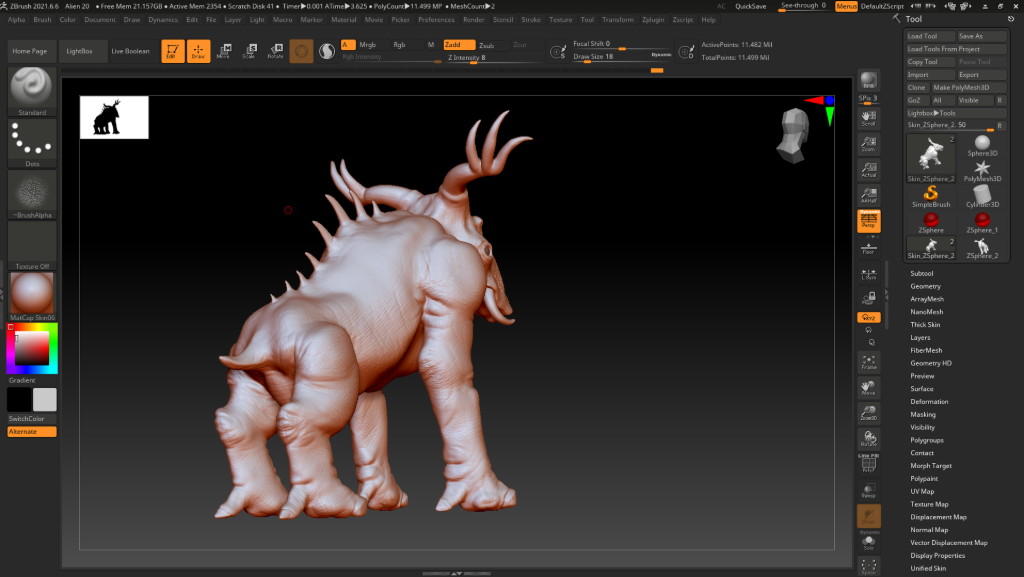
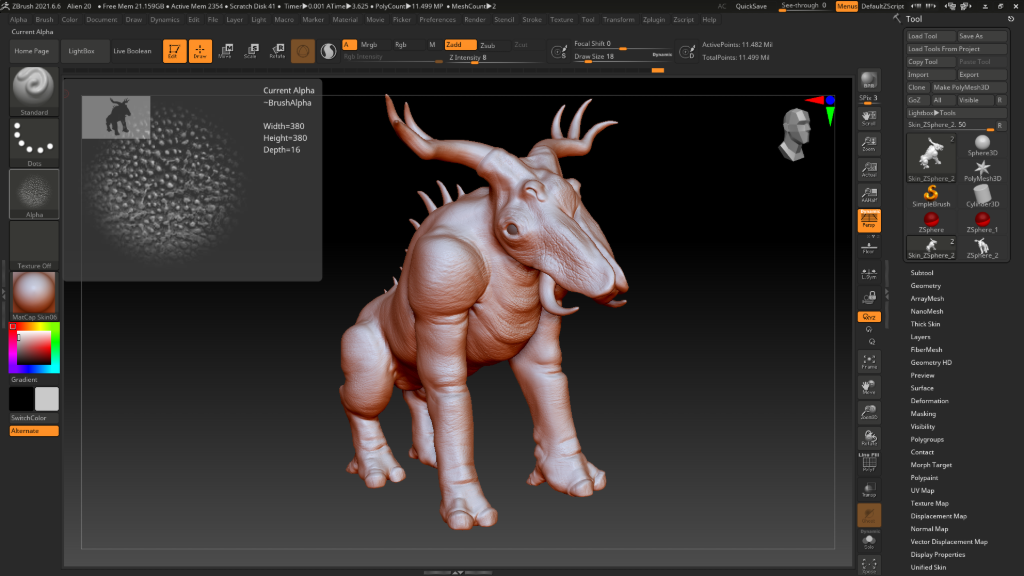
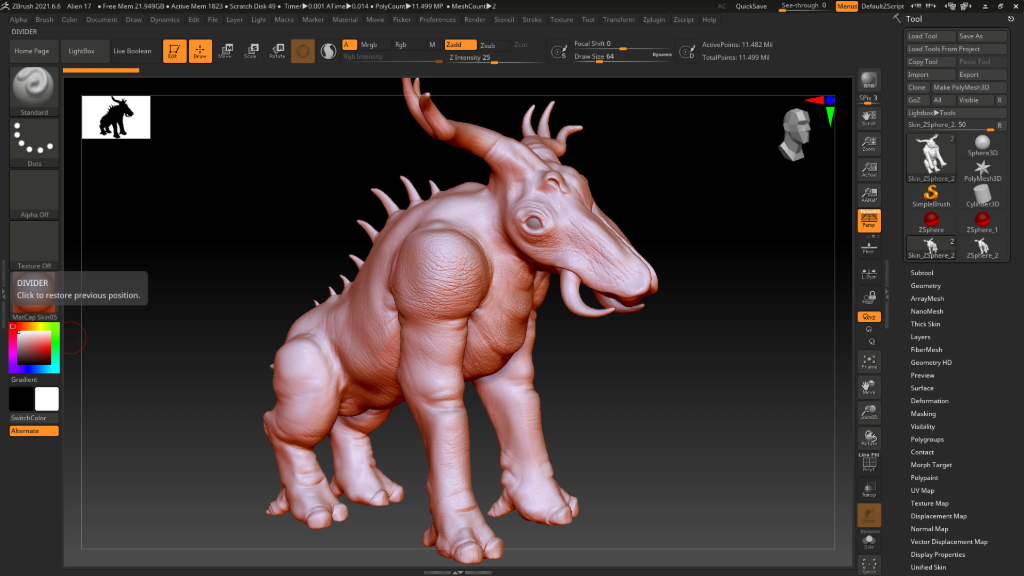
Texture Painting
I then took the high-resolution model, reduced it's polygons by decimating it, and exported the low-resolution model while texture baking the high-resolution model to use it on the low-resolutioni model while texture painting.
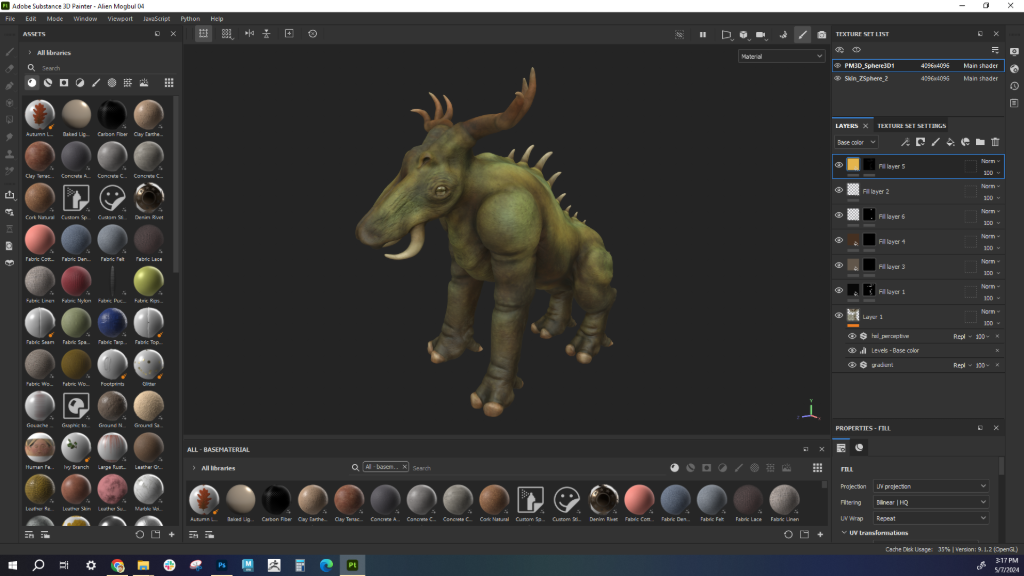
After that, I took the low-res model into Adobe Substance Painter to texture paint.
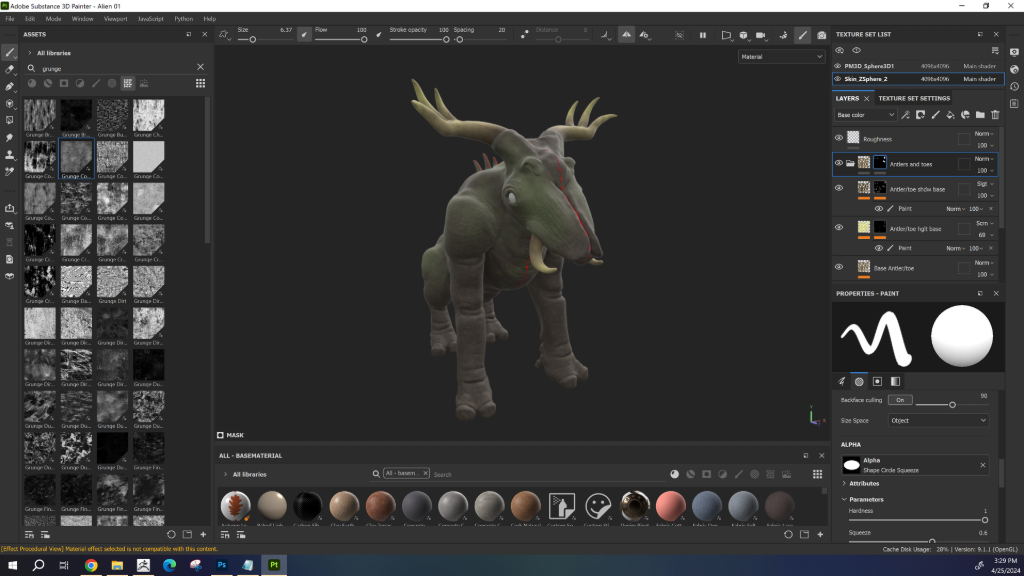
Setting Up the Scene + Rendering
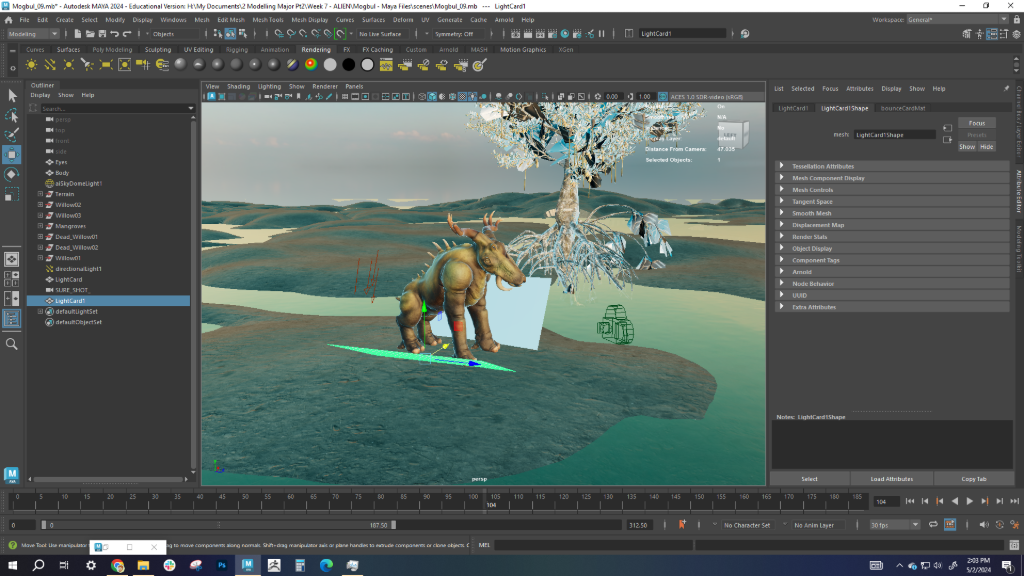
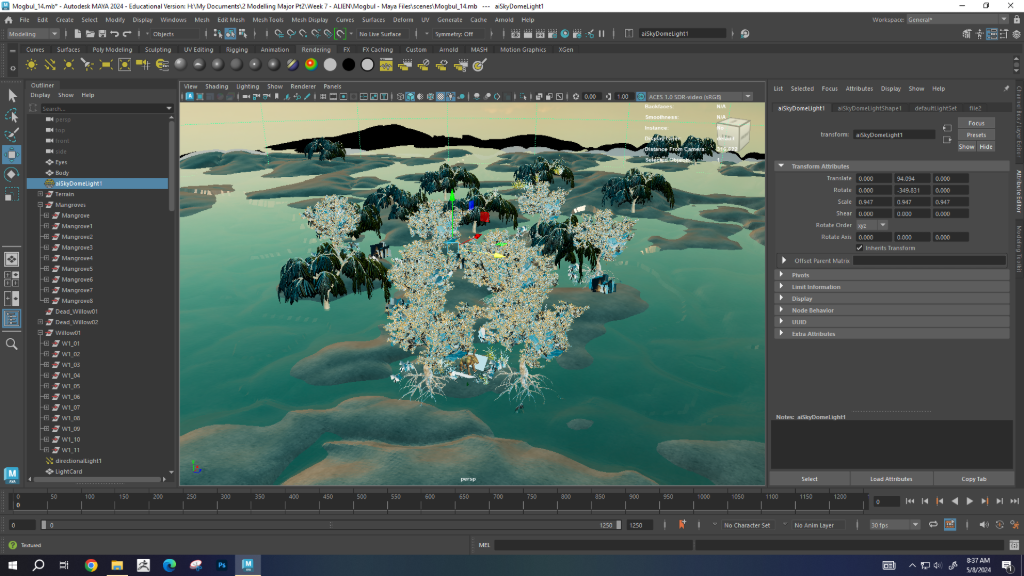
I took the textures made from Substance Painter, imported the low-resolution model into Autodesk Maya, set up a swamp scene for the Mogbul, and rendered.
The Result
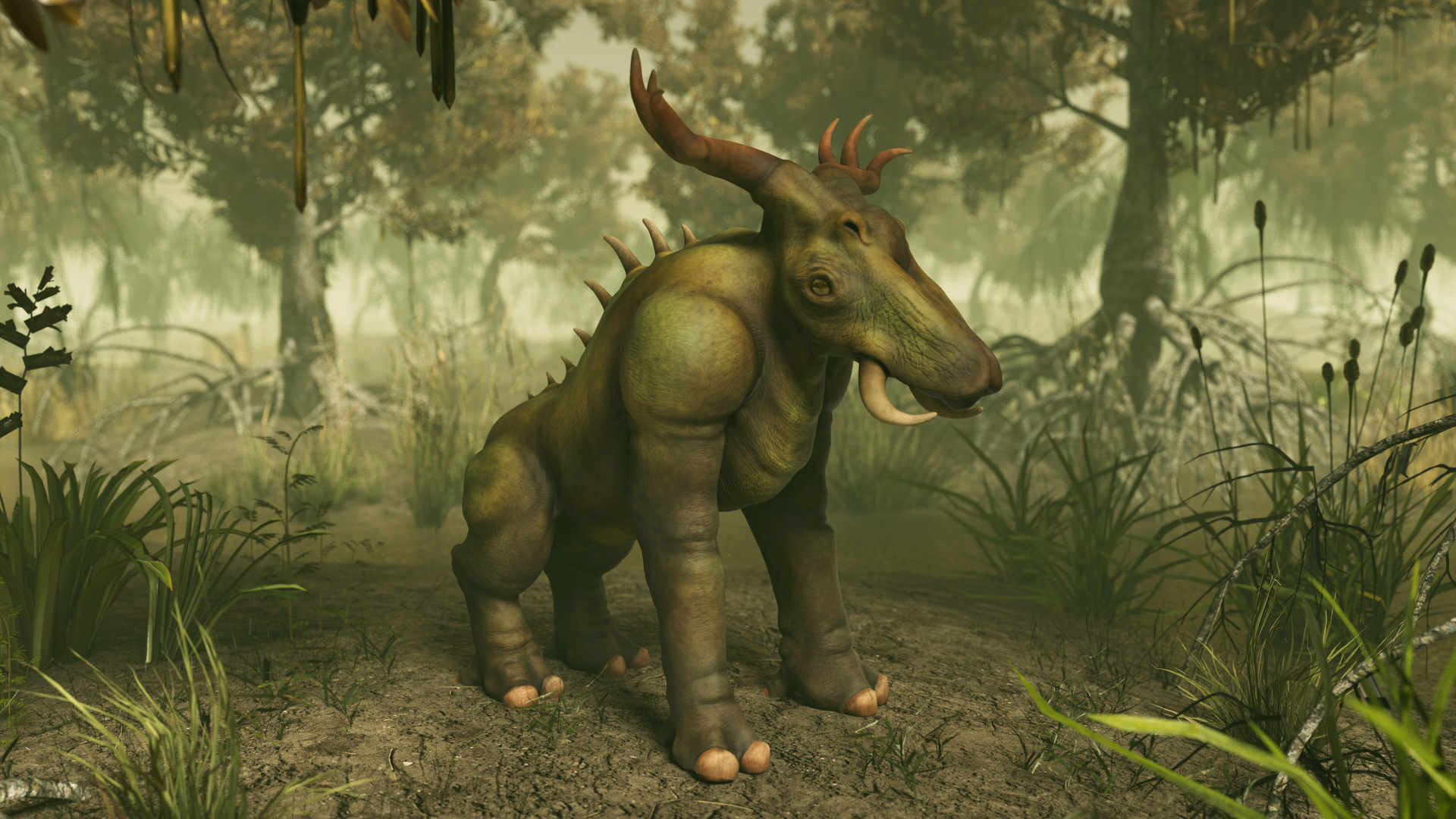
Final Render
First image is composited in Photoshop, while the second one is the raw render
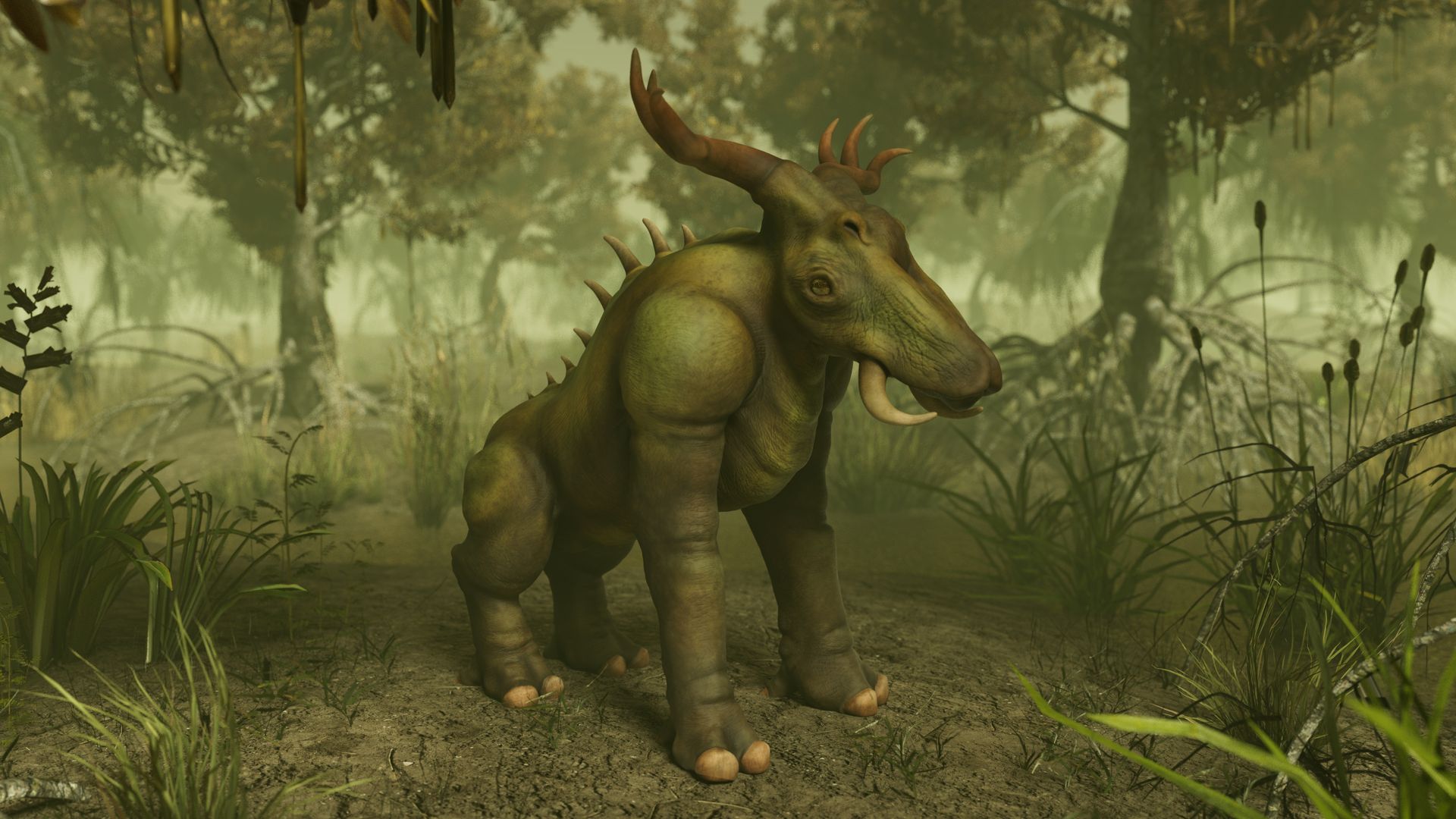
Mogbul Turntable
Overall, I learned so much about sculpting through this project, and I'm quite content with the outcome. I've grown since the time I've made this, so while there are things I would have done differently, I'm happy with how it turned out!
If you would like to see the 3D model up close, you can view it on Sketchfab.
Asset Attribution:
- "FREE - Dry Sand Terrain" (https://skfb.ly/6UBUI) by josevega is licensed under Creative Commons Attribution (http://creativecommons.org/licenses/by/4.0/).
- "Hot Desert Biome - Terrain" (https://skfb.ly/oEZoo) by artfromheath is licensed under Creative Commons Attribution (http://creativecommons.org/licenses/by/4.0/).
- "red-mangrove-tree" (https://skfb.ly/ozCCG) by SAVIA_Colombia is licensed under Creative Commons Attribution (http://creativecommons.org/licenses/by/4.0/).
- "Willow Tree" (https://skfb.ly/oRqup) by ravenwits is licensed under Creative Commons Attribution (http://creativecommons.org/licenses/by/4.0/).
- Mountains (Network of paths in Blender) - https://www.turbosquid.com/3d-models/3d-paths-blender-1708806
- "Grass Pack PBR Free [GPP collection]" (https://skfb.ly/6VUB6) by Nicothin is licensed under Creative Commons Attribution-ShareAlike (http://creativecommons.org/licenses/by-sa/4.0/).
- "Grass etaria_viridis" (https://skfb.ly/oIHXH) by Tarunmakwana is licensed under Creative Commons Attribution (http://creativecommons.org/licenses/by/4.0/).
- "Grass" (https://skfb.ly/o677E) by Killy is licensed under Creative Commons Attribution (http://creativecommons.org/licenses/by/4.0/).
- "Dry grass" (https://skfb.ly/oCWJT) by Pixel-bit is licensed under Creative Commons Attribution (http://creativecommons.org/licenses/by/4.0/).
- "grass 04" (https://skfb.ly/oQFPH) by Digital screen official is licensed under Creative Commons Attribution (http://creativecommons.org/licenses/by/4.0/).
- "NZ Flax" (https://skfb.ly/WA77) by toAflame is licensed under Creative Commons Attribution (http://creativecommons.org/licenses/by/4.0/).
- "Real Bush" (https://skfb.ly/6WMtO) by Marbles studio is licensed under Creative Commons Attribution (http://creativecommons.org/licenses/by/4.0/).